Google Antigravity
Antigravity by Google.
Interaction
My interaction history:
- tell me about the planexe mcp tool
- make 5 suggestions
- crisis response plan for yellow stone outbreak, please refine that
- I didn't meant outbreak, I meant vulcanic
- your prompt is a bit shorter than the example prompts
- go ahead create the plan
- check status
- status
- status
- status
- download the report
- summarize the report
- does it correspond to your expectations?
I had to manually ask about check status to get details how the plan creation was going. It's not something that Antigravity can do.
The created plan is here: Yellowstone Evacuation
Configuring Antigravity
See MCP client config snippets for prerequisites and the cloud / local-Docker JSON blocks.
- Open Antigravity
- Click the "..." icon at the top of the Agent panel
- Select "MCP Servers"
- This opens the
mcp_config.jsonfile.
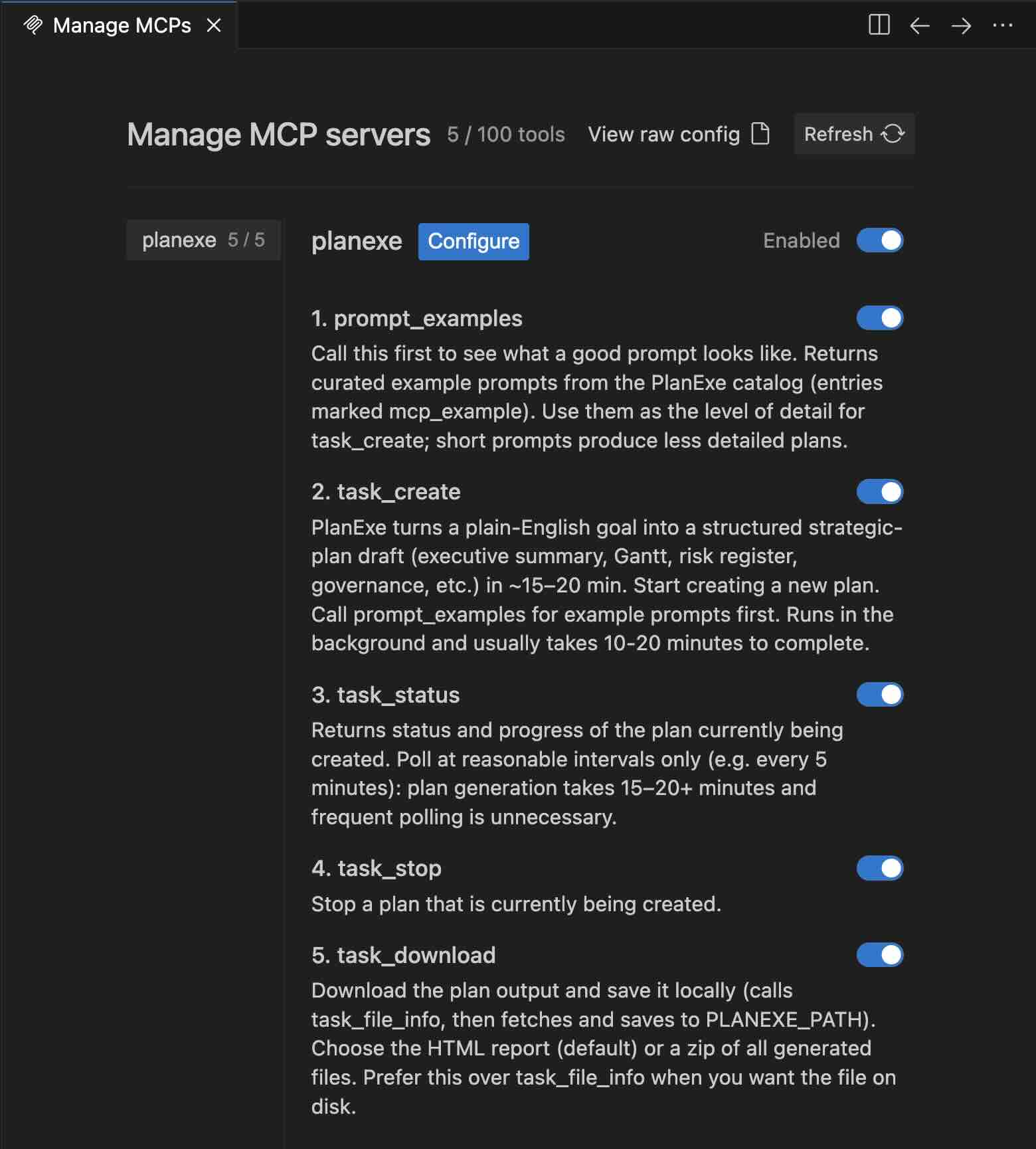
Paste the planexe entry from the snippet page inside your mcpServers dictionary. Save the file, then go to Manage MCP Servers and click the refresh icon.
If it doesn't work then ask on the PlanExe Discord for help.
This is what it should look like: